Product comparison · Prepared by Sideline · Reviewed November 2026
Sideline vs. Granola: AI Sales Coach or AI Meeting Notetaker?
You've heard good things about Granola. It takes useful meeting notes, remembers conversations, and helps you prepare for what comes next.
But if you're selling on those calls, you may want something else too: help recognizing an objection or asking a stronger question while the prospect is still there.
That's the main distinction behind this comparison.
Granola is built around a powerful meeting notepad, chat, and shared conversation memory. Sideline is being built around focused, proactive live coaching for the person running a B2B sales call.
There is genuine overlap. Granola can answer questions during meetings and provide coaching-related help. Sideline also keeps prospect history and produces post-call feedback. Here's how to choose based on the experience you actually need.
Explore GranolaPrivate beta · Mac-first · No meeting bot
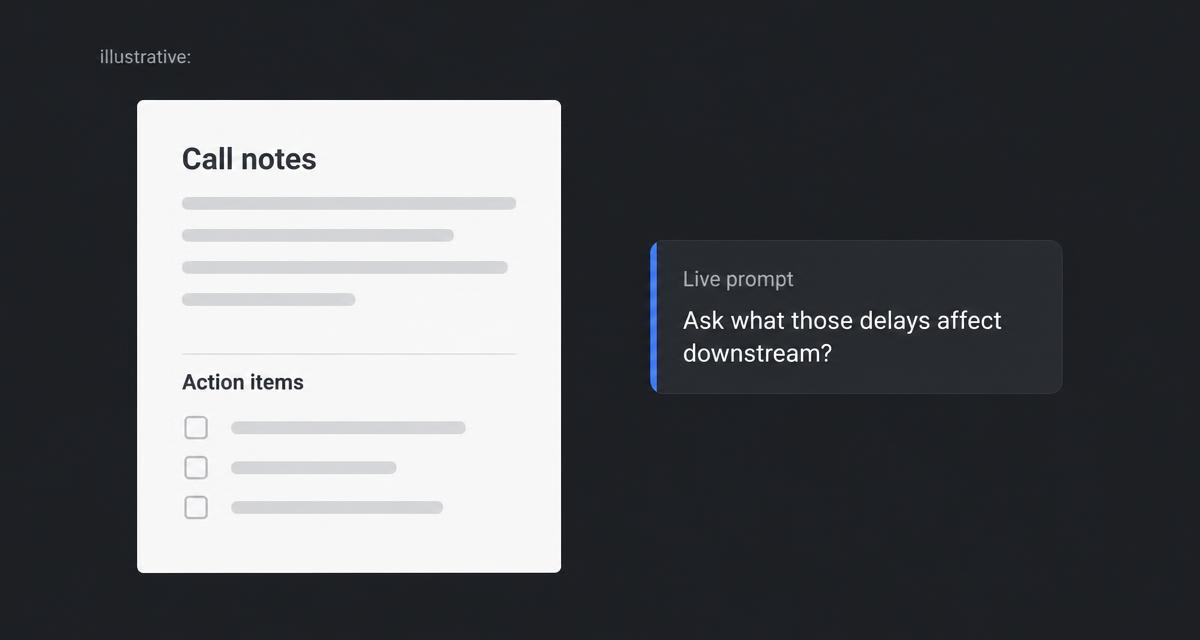
A short sales-specific question, surfaced during the call.
Finance needs to participate in the purchase process.
“What should I ask next?”
Meeting notes and conversational assistance in one workspace.
01 · Sideline vs. Granola
The quick verdict
Choose Sideline if...
- You're a founder or AE running B2B discovery calls and demos.
- You want the application to proactively suggest short sales-specific questions when meaningful moments occur.
- You're trying to get better at discovery, objection handling, and next-step clarity.
- You want a post-call debrief focused on your selling behavior rather than only the meeting record.
- You're comfortable helping shape an early Mac-first beta.
Choose Granola if...
- You want well-organized notes across sales, internal, product, hiring and other meetings.
- You need meeting search, shared context, AI chat, and useful follow-up drafts.
- You want calendar-connected pre-meeting briefs and cross-meeting memory.
- You want native apps beyond macOS, including Windows and mobile.
- You need integrations, team collaboration, or a mature public subscription product.
02 · Feature comparison
Sideline vs. Granola: feature comparison
| Capability | Sideline | Granola |
|---|---|---|
| Primary purpose | Individual B2B sales coaching | Meeting notes, knowledge and assistance across work |
| Main in-call experience | Short, proactive sales coaching prompts in a Mac overlay | AI notepad and live, user-initiated Granola Chat |
| Questions during a call | Proactively suggested in live coaching | Can answer prompts such as “what should I ask next?” |
| Sales objection coaching | Designed around sales-specific discovery and objections | Live chat and sales-related feedback/features |
| Meeting notes | Not its primary positioning | Core product capability |
| Post-call follow-up drafts | Available in Sideline beta workflow | Available on published Business/Enterprise plans |
| Pre-meeting briefs | Uses prospect context; beta refinement ongoing | Calendar-linked Briefs on paid plans |
| Cross-meeting memory | Prospect/call history; live use being refined | Chat across meetings, people/companies context, briefs |
| Individual coaching development | Coaching focus and recurring seller patterns in development | Coaching-related chat/feedback and reusable Recipes |
| Team note collaboration | Not core public offering | Shared folders and team workflows |
| CRM/work integrations | No mature public offering claimed | Notion, HubSpot, Attio, Zapier and other published integrations |
| No meeting bot | Yes | Yes |
| Platform | Mac-first | Mac, Windows, iOS, Android; Apple Watch support |
| Availability | Private beta | Public plans |
| Price | Final paid price not published | Basic $0; Business $14; Enterprise $35 per user/month |
Primary purpose
- Sideline
- Individual B2B sales coaching
- Granola
- Meeting notes, knowledge and assistance across work
Main in-call experience
- Sideline
- Short, proactive sales coaching prompts in a Mac overlay
- Granola
- AI notepad and live, user-initiated Granola Chat
Questions during a call
- Sideline
- Proactively suggested in live coaching
- Granola
- Can answer prompts such as “what should I ask next?”
Sales objection coaching
- Sideline
- Designed around sales-specific discovery and objections
- Granola
- Live chat and sales-related feedback/features
Meeting notes
- Sideline
- Not its primary positioning
- Granola
- Core product capability
Post-call follow-up drafts
- Sideline
- Available in Sideline beta workflow
- Granola
- Available on published Business/Enterprise plans
Pre-meeting briefs
- Sideline
- Uses prospect context; beta refinement ongoing
- Granola
- Calendar-linked Briefs on paid plans
Cross-meeting memory
- Sideline
- Prospect/call history; live use being refined
- Granola
- Chat across meetings, people/companies context, briefs
Individual coaching development
- Sideline
- Coaching focus and recurring seller patterns in development
- Granola
- Coaching-related chat/feedback and reusable Recipes
Team note collaboration
- Sideline
- Not core public offering
- Granola
- Shared folders and team workflows
CRM/work integrations
- Sideline
- No mature public offering claimed
- Granola
- Notion, HubSpot, Attio, Zapier and other published integrations
No meeting bot
- Sideline
- Yes
- Granola
- Yes
Platform
- Sideline
- Mac-first
- Granola
- Mac, Windows, iOS, Android; Apple Watch support
Availability
- Sideline
- Private beta
- Granola
- Public plans
Price
- Sideline
- Final paid price not published
- Granola
- Basic $0; Business $14; Enterprise $35 per user/month
Based on Sideline's beta positioning and Granola's public documentation, reviewed November 2026. Availability and features vary by plan and may change.
03 · Sideline vs. Granola
The difference during the call
Imagine a prospect says:
“We like the product, but our finance team would probably need to be involved.”
There are two useful jobs for AI here.
First, it can capture that finance needs to participate, so the buyer doesn't have to explain it again next week.
Second, it can help you explore what that means before the conversation moves on.
An illustrative sales coaching prompt could be:
“Ask what finance needs to approve the purchase.”
Sideline's approach
Sideline's live experience centers on short, proactive prompts in a small desktop overlay. The model is intended to recognize a useful moment and suggest one next question, not display a long script. The seller decides what to do.
The emphasis is on discovery gaps, business impact, objections, buying signals, and clear commitments. Afterward, the debrief is designed to help the individual seller see what they missed and improve.
Because Sideline is in private beta, prompt quality and cross-call continuity are still being refined. We don't claim guaranteed prompt accuracy or that Sideline always catches a specific moment.
Granola's approach
Granola's main product experience is an AI-enhanced meeting notepad, with chat available before, during and after meetings. Its published product pages describe asking questions in real time, including what you missed and what to ask next.
That makes it inaccurate to say Granola cannot help during a sales call. It can. The interaction described publicly emphasizes asking Granola Chat as well as capturing and using meeting context, whereas Sideline's core workflow emphasizes proactively surfaced, sales-specific coaching prompts.
Those two experiences are different enough that buyers should try both rather than rely on category labels.
For a broader guide to these categories, read AI Sales Coach vs. AI Meeting Notetaker.
For more on proactive in-call guidance, read our guide to real-time AI sales coaching.
04 · Sideline vs. Granola
Memory across meetings: both products have it
A second or third sales meeting should build on what was already said.
On call one, a buyer raises a security concern. On call two, they ask about timeline. On call three, finance joins.
A good assistant should make it easy to recover the previous concern and avoid pretending each call is a new relationship.
Granola memory
Granola's public materials describe chat across meeting histories, People and Companies context, and pre-meeting Briefs that summarize who is attending, what happened last time, and what matters now. It can help retrieve commitments, generate notes, and draft follow-ups from prior context.
That is substantive cross-meeting memory, not just a folder of transcripts.
Sideline memory
Sideline maintains prospect and call history and is developing coaching continuity around previous objections, commitments, missed discovery, and specific seller habits.
The product goal is to use those details in live sales coaching, not merely retrieve them afterward. How reliably that happens remains an area of beta improvement.
The distinction isn't “which one remembers?” It's “what does the product do with that memory while I'm selling?”
Read more about how AI sales coaching with memory works.
05 · Sideline vs. Granola
What happens after the meeting?
With Granola
Granola produces enhanced notes, decisions, action items and other useful outputs. Its chat can draft follow-up emails, retrieve information from earlier meetings, and help analyze conversations. Its sales materials also discuss coaching feedback and CRM handoff. Depending on the plan, teams can use shared notes and integrations to keep work moving.
This is a strong fit when meeting documentation and reusable organizational knowledge are the highest priorities.
With Sideline
Sideline's debrief is centered on the seller's performance: which question was missed, which objection wasn't explored, whether the next step is clear, and what the seller could improve on the next call. It also supports follow-up drafting.
That focus may be useful to a founder who doesn't have a manager reviewing their calls. The product is still in private beta, so its analysis and pattern-tracking should be judged on the actual experience rather than marketing promises.
For actionable follow-up examples, see our sales call follow-up email templates.
06 · Sideline vs. Granola
Where Granola is the broader product today
Granola is not only a notetaker for sales calls.
Meeting coverage: It is designed for recurring meetings across different functions, plus mobile and in-person contexts.
Notes and sharing: Enhanced notes, searchable meeting history, shared folders and collaborative workflows are core features.
Pre-meeting preparation: Calendar-linked Briefs help users recall people and previous conversations.
Live chat: Users can ask questions during a meeting, not only after it ends.
Integrations: The published offering includes services such as HubSpot, Attio, Notion, Zapier, Slack, MCP, and an API on applicable plans.
Public availability: It offers published plans and broader operating-system/device support.
If these are your requirements, Granola may be the more straightforward choice today.
07 · Sideline vs. Granola
Where Sideline is deliberately narrower
Sideline isn't attempting to replace every meeting note, team knowledge base, or sales operations workflow.
The founder's immediate problem is often more specific: a buyer raises an objection, the seller responds too quickly, and the chance to understand the real concern passes.
Sideline is focused on surfacing a short sales-specific question during that moment, then reviewing the behavior afterward. We're also developing continuity around what the prospect said last time and what the seller keeps missing.
That narrowness is a deliberate product choice, not proof of better performance.
If you're a founder still conducting your own calls, see our AI sales coach for founders page.
08 · Sideline vs. Granola
Sideline vs. Granola pricing
Granola
Granola's published plans, as reviewed in November 2026:
| Plan | Published price | Notes |
|---|---|---|
| Basic | $0 per user/month | AI notes, limited 30-day meeting history, chat |
| Business | $14 per user/month | Unlimited history, advanced features, listed integrations, meeting briefs and follow-up emails |
| Enterprise | $35 per user/month | Enterprise security and administration, additional organization controls |
Basic
- Published price
- $0 per user/month
- Notes
- AI notes, limited 30-day meeting history, chat
Business
- Published price
- $14 per user/month
- Notes
- Unlimited history, advanced features, listed integrations, meeting briefs and follow-up emails
Enterprise
- Published price
- $35 per user/month
- Notes
- Enterprise security and administration, additional organization controls
The exact eligibility, terms and current plan capabilities should be checked on the official pricing page.
Sideline
Sideline is in private beta and doesn't publish a final comparable paid price on this page. Request access through the existing beta signup flow for current availability.
Do not claim Sideline is cheaper than Granola. There isn't enough comparable commercial information to establish that.
09 · Sideline vs. Granola
Could you use both?
Potentially. Granola could be used for broad meeting notes and searchable knowledge, while Sideline could be evaluated as a sales-specific live coaching companion.
There is no verified native Sideline–Granola integration being claimed here. If you capture the same conversation using two applications, consider meeting policies, participant consent, retention, data access, and whether the overlapping tools create friction.
A useful test is whether both products provide distinct value during a real call and its follow-up.
10 · Sideline vs. Granola
Who should choose which?
Choose Granola when: You want meeting notes and recall across many types of conversations, shared team context, a public product with integrations, and access from multiple platforms.
Consider Sideline when: You're a Mac-using founder or AE who wants a specialized personal sales coach that proactively suggests short questions during live B2B calls and provides selling-focused feedback afterward.
Try both when: Your policies allow it, and you want to see whether the sales-specific coaching adds value beyond the meeting assistance you already have.
11 · Sideline vs. Granola
Frequently asked questions
Does Granola give advice during meetings?
Yes. Granola Chat supports live questions during a meeting, including asking what you missed or what you should ask next. It would be wrong to describe Granola as exclusively post-call software.
Does Granola remember previous meetings?
Yes. Its published offering includes chat across meeting histories, people and company context, and calendar-linked Briefs on qualifying plans.
Does Granola offer sales coaching?
Granola describes coaching-related feedback in its sales materials and supports live AI assistance. Sideline is designed specifically around proactive sales coaching prompts and individual seller development, but outcomes should be evaluated through actual use.
Does either product use a meeting bot?
Neither requires a bot to join as a visible participant for its core desktop meeting experience. Users still need to comply with applicable recording and consent rules.
Is Sideline available on Windows?
Sideline is Mac-first in private beta. Granola offers Windows along with Mac and mobile applications.
Is Sideline cheaper than Granola?
A reliable comparison isn't possible until Sideline publishes final paid terms. Granola lists Basic, Business and Enterprise plan prices on its official website.
Can I replace Granola with Sideline?
If your main need is sales-specific coaching, you may want to evaluate Sideline. It is not intended as a feature-for-feature replacement for Granola's general meeting notes, collaboration, or integration workflows.
12 · Sideline vs. Granola
Final verdict
Granola is a strong meeting assistant with live chat, excellent note-oriented workflows, pre-meeting context, and published plans. Sideline is being built for a narrower job: helping an individual B2B seller ask the next useful question during the call and improve from the conversation afterward.
There isn't a universal winner. If the meeting record is what you most need, Granola deserves serious consideration. If you're looking for more proactive sales-specific coaching, Sideline is worth trying when the private beta is available.
Sideline · Private beta
Don't just remember the call. Get coached through it.
Join Sideline's private beta and help shape a Mac-first AI coach for founders and B2B salespeople.
Get Early AccessMac-first · Private beta · No meeting bot
Sources and transparency
This comparison was prepared by the Sideline Team, which builds Sideline. Granola features and pricing are based on official Granola pages reviewed in November 2026, not an independent standardized head-to-head test. Product features and pricing may change.
Related reading
Related comparisons: Sideline vs. Convo and Sideline vs. Gong.
AI Sales Coach vs. AI Meeting Notetaker: What’s the Difference?
When you need an AI meeting notetaker, an AI sales coach, or both: live guidance, call summaries, cross-call context, and coaching workflows compared.
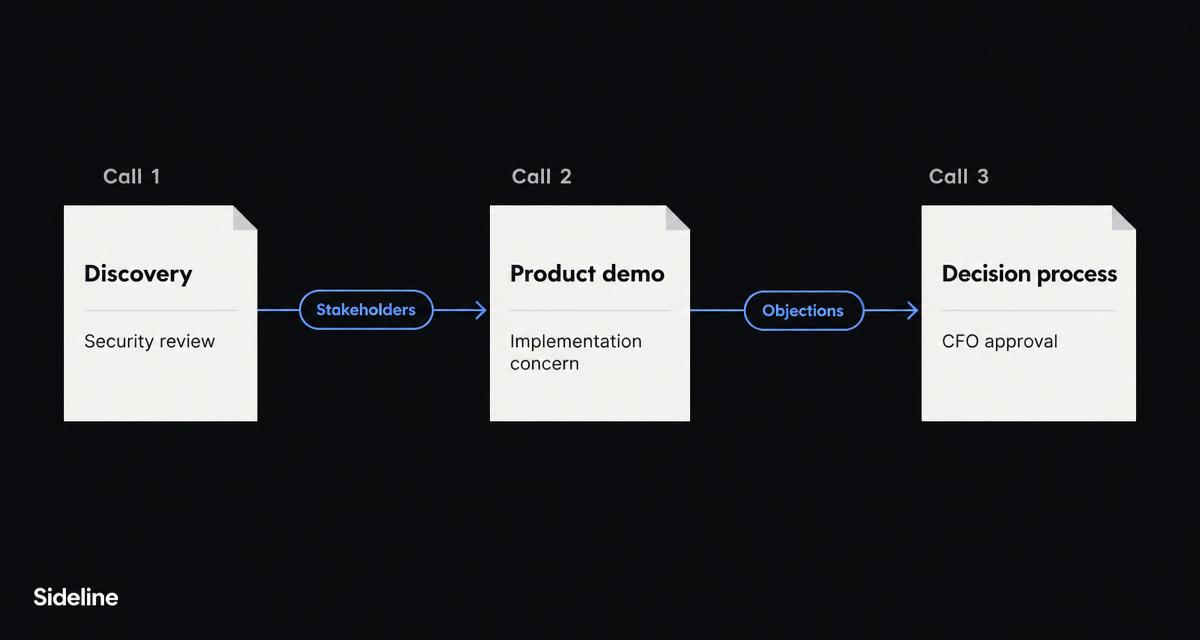
How AI Sales Coaching Remembers Previous Conversations (And Why It Matters)
How cross-call memory connects prospect history, unresolved objections, commitments, and seller habits before, during, and after B2B sales calls.

Real-Time AI Sales Coaching: How It Works and Why It Matters
How live AI coaching works during a sales call, how it compares to post-call analysis, and where it helps founders and reps most.